


Top > Content Manager > Computer (Windows/Mac) > Copying and deleting games and other applications using a computer
 Copying and deleting games and other applications using a computer
Copy games and other applications or saved data on your system to or from a computer (Windows/Mac).
Before performing this procedure, you need to do the following:
- For a PCH-1000 series system, insert a memory card for the PS Vita system.
- Link a Sony Entertainment Network account with your system.
- Connect your computer to the Internet.
- Download and install Content Manager Assistant for PlayStation® on your computer.
Download Content Manager Assistant from the following website:
http://cma.dl.playstation.net/cma/
- 1.
- On the computer, check that Content Manager Assistant is installed and started.
- Windows:
Look for the Content Manager Assistant icon in the notification area of the taskbar to verify that the application is running: 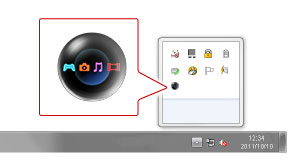
- Mac:
Look for the Content Manager Assistant icon in the menu bar to verify that the application is running: 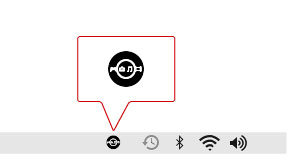
- 2.
- On your system, select
 (Content Manager) > [Copy Content].
 - 3.
- Select
 (PC), and then select
  (USB cable) or
  (Wi-Fi).
To connect using Wi-Fi, you must select the [Connect to PS Vita System or PS TV System Using Network] checkbox under [Network Connection Settings] in the Content Manager Assistant to set a checkmark, and register your system with the computer. For details, see "Transferring data to and from a computer using Wi-Fi". - 4.
- Select either [ PC →
 PS Vita System] or [ PS Vita System → PC].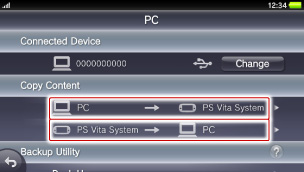
- 5.
- Select [Applications].
Select the category containing the content you want to copy or delete. - 6.
- Select the checkboxes of the applications you want to copy or delete, and then select [Copy] or [Delete].
- This is an example for PlayStation® Vita format software:

- When you perform a copy or delete operation for a game or other application on the PlayStation®Vita card that stores saved data and add-ons on the memory card*, only the data stored on the memory card* is copied or deleted. Saved data and add-ons on the PS Vita card cannot be copied or deleted.
- *
- For a PCH-1000 series system, you must have a memory card for the PS Vita system inserted.
- Some types of content downloaded from PlayStation®Store can only be used on a limited number of devices per account. Manage the devices on which you use the content by activating and deactivating devices.
 (Age restricted content) can be copied, but parental controls must either be off or set appropriately to play the content at the destination of the copy.
- Some types of content cannot be copied or deleted.
- To delete application data from your system, use edit mode from the home screen. To enter edit mode, touch and hold the home screen. If you delete the application icon, all the data for the application is deleted.